Original price was: £179.63.£163.30Current price is: £163.30.
Only available for a short time – act fast!
Description
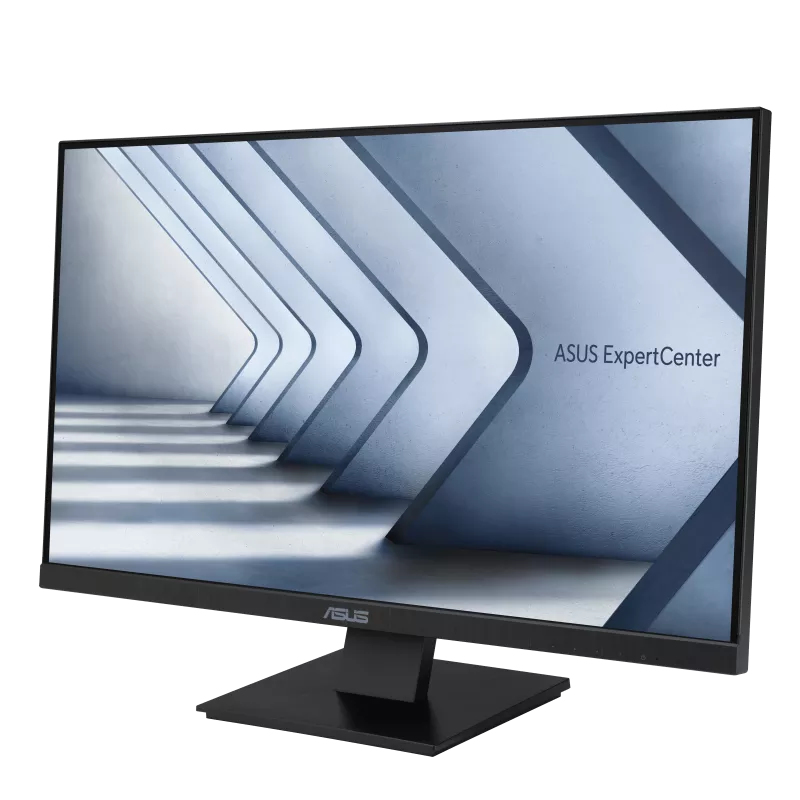
Enhance Your ProductivityUSB-C Monitor enhance Your Productivity via one cableASUS ExpertCenter C1275Q is a 27 inch Full HD (1920 x 1080) monitor that features a frameless IPS panel for wide angle viewing to deliver incredibly sharp imagery and stunning video playback. Up to 75Hz refresh rate with Adaptive-Sync technology helps eliminate tracing and ensure crisp and smooth viewing experience. Its ergonomic design with tilt adjustments along with TÜV Rheinland-certified Flicker-free and Low Blue Light provides a comfortable viewing experience.IPS panel technology for astounding colorsThe 27-inch FHD (1920 x 1080) IPS panel offers a palette of 16.7 million colors. so photos and videos have stunning detail and realism. The panel also offers 178° viewing angles to ensure excellent image quality from almost any perspective.Expansive ConnectivityConnectivity is especially important in a business display to handle all workloads. ASUS ExpertCenter C1275Q is packed with a comprehensive selection of I/O ports. including DisplayPort. HDMI. D-sub. PC audio-in jack and earphone out.Protect your eyes with ASUS Eye Care technologyASUS blue light filterFor viewing comfort and for protection from potentially harmful blue light. it offers intuitive and flexible with seamless adjustment that are easily accessed through the onscreen display menu.ASUS Flicker-free technologyIt's time to say goodbye to those tired. strained eyes. Flicker-Free technology helps reduce onscreen flicker. giving you a more comfortable. movie-marathon-ready environment. It is designed to minimize eyestrain. headaches and eye fatigue when you spend long. countless hours in front of the display.Color Augmentation ModeEasily distinguish colorsColor Augmentation mode helps users with a color-vision deficiency differentiate colors. The mode lets users customize onscreen reds. greens. yellows and blues into hues that are easier to distinguish. improving the viewing experience.Rest ReminderIt's time to take a breakTaking a brief 10-minute rest every half hour or so. or adopting the 20-20-20 rule. can help prevent eye strain. The Rest Reminder feature lets users set pop-up reminders at 5-minute intervals. noting when it’s time step away from the screen.
Additional information
| Product Name | ASUS ExpertCenter C1275Q computer monitor 68.6 cm (27") 1920 x 10 |
|---|---|
| Promotional | |
| Deals by | |
| Specifications | ASUS ExpertCenter C1275Q computer monitor 68.6 cm (27") 1920 x 1080 pixels Full HD LCD Black |
| Condition | |
| Delivery time | |
| Delivery cost | |
| Warranty |
Related products
-
Sale!

ASUS BE24EQSK computer monitor 60.5 cm (23.8") 1920 x 1080 pixels
Original price was: £283.17.£257.42Current price is: £257.42. QUICK BUY -
Sale!

ASUS 14010-00680800 laptop spare part Cable
Original price was: £20.51.£18.65Current price is: £18.65. QUICK BUY -
Sale!
ASUS NUC RNUC13ANKI7068C2I Intel® Core™ i7 i7-1360P 16 GB DDR4-SDRAM 5
Original price was: £882.59.£802.36Current price is: £802.36. QUICK BUY -
Sale!
ASUS ROG -LOKI-1200T-SFX-L-GAMING power supply unit 1200 W 20+4 pin AT
Original price was: £357.55.£325.04Current price is: £325.04. QUICK BUY